Google Introduces AI Skills in Chrome: The Future of Smart Browsing
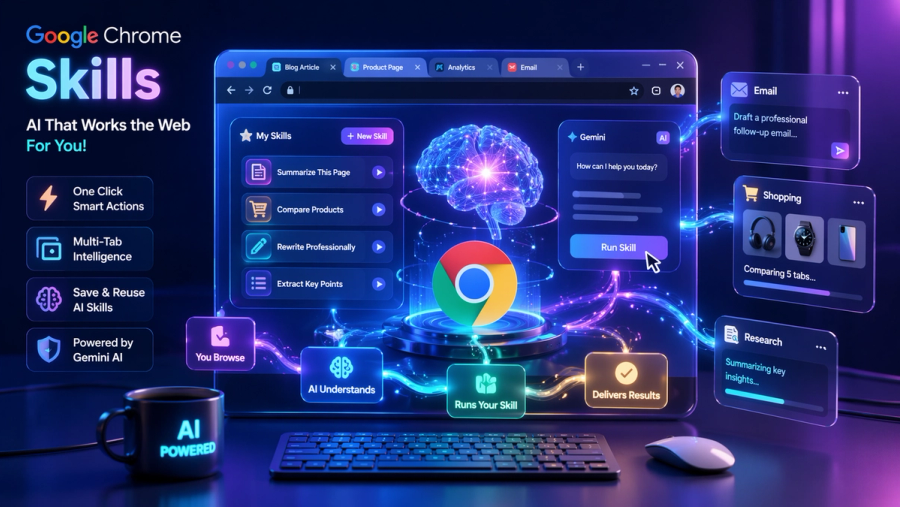
The modern internet experience is changing faster than ever, and at the center of this shift is AI. With the introduction of “Skills” in Google Chrome, Google has taken a major step toward transforming the browser from a passive tool into an active assistant. This feature is not just a minor update—it represents a fundamental redesign of how users interact with the web.
Traditionally, browsers have acted as gateways to information. You search, click, read, and repeat. But now, Chrome is evolving into something smarter—something that understands intent, automates tasks, and helps you complete workflows instantly. Skills are at the core of this transformation.
What Are Chrome “Skills”?
Chrome Skills are essentially saved AI instructions powered by Google Gemini that allow users to perform repetitive tasks instantly. Instead of typing the same prompt again and again, you can store it as a reusable action.
Imagine you regularly ask AI to:
- Summarize long articles
- Rewrite emails professionally
- Compare products across tabs
With Skills, you only need to write the prompt once. After saving it, Chrome remembers it and lets you reuse it anytime across different websites.
This makes Skills similar to:
- AI shortcuts
- Smart automation commands
- Personalized digital workflows
High-Importance Points
- Skills eliminate repetitive prompt typing
- They work directly inside the browser (no extra tools needed)
- They can be reused across multiple tabs and websites
- Powered by context-aware AI (Gemini)
Why Google Introduced Skills (The Real Problem It Solves)
Before Skills, even advanced AI users faced a simple but frustrating issue: repetition. No matter how powerful AI tools became, users still had to manually re-enter instructions every time they wanted a result.
This created inefficiencies such as:
- Wasting time rewriting prompts
- Switching between tabs or tools
- Losing consistency in outputs
Google recognized that the real value of AI is not just answering questions—but automating workflows.
By introducing Skills, Google shifts AI from:
- “Ask → Get Answer”
to - “Save → Reuse → Automate”
High-Importance Points
- Focus is on workflow automation, not just AI responses
- Reduces time spent on repetitive tasks
- Makes AI usage faster and more consistent
- Brings AI closer to daily productivity habits
How Chrome Skills Work
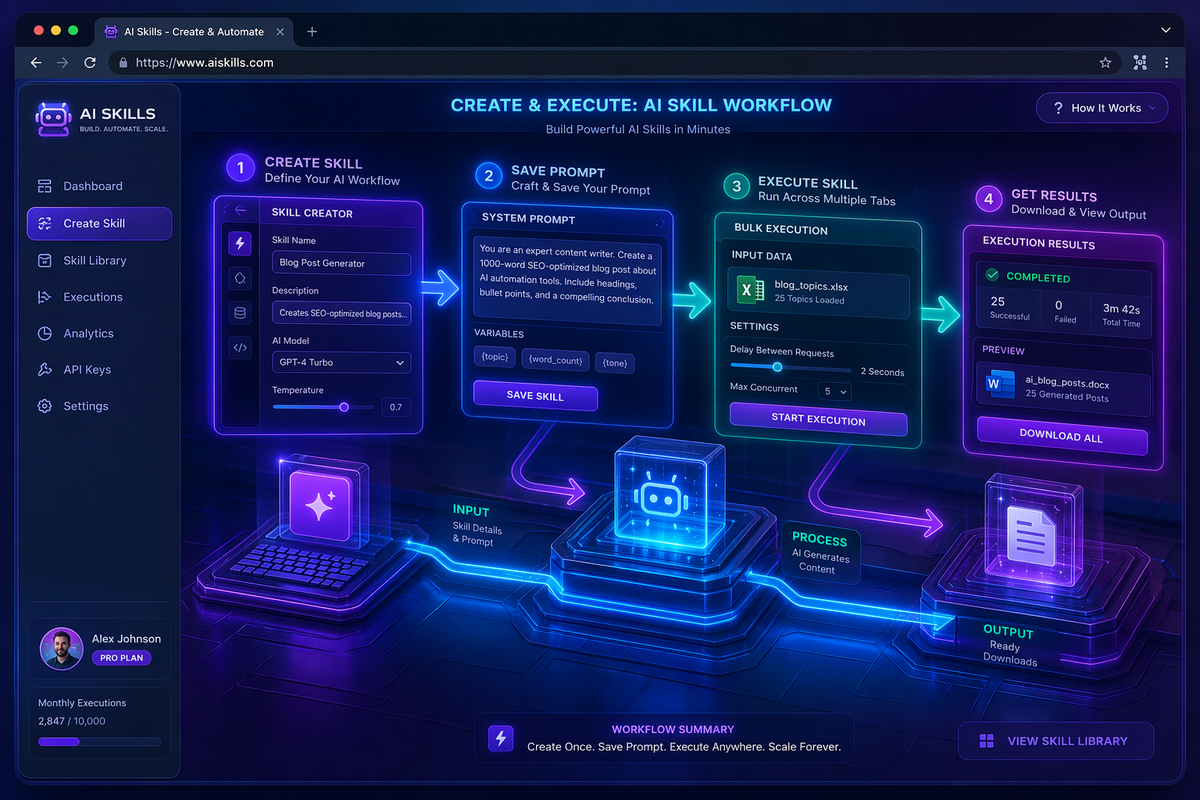
The working mechanism of Skills is simple but powerful. It integrates directly into Chrome’s interface via the Gemini sidebar.
First, the user writes a prompt like “Summarize this webpage in bullet points.” After the AI generates a response, Chrome provides an option to save this instruction as a Skill.
Once saved, the Skill becomes reusable. You can trigger it using shortcuts or commands, and it will apply to any webpage you are currently viewing.
What makes this system powerful is that it doesn’t just repeat text—it understands the context of the page.
Example Workflow
- Open any article
- Run your “Summarize” Skill
- Instantly get key points
High-Importance Points
- Skills are created from real prompts
- They can be triggered instantly
- They adapt to webpage content dynamically
- No need to retype or copy-paste instructions
Key Features of Chrome Skills
1. One-Click AI Execution
Skills turn complex instructions into a single click. Instead of typing detailed prompts, users can execute entire workflows instantly.
--> This dramatically reduces effort for frequent tasks.
2. Multi-Tab Intelligence
One of the most advanced features is the ability to work across multiple tabs. For example, you can open several product pages and run a single Skill to compare them.
--> This goes beyond traditional AI tools, which usually work on one input at a time.
3. Custom + Pre-Built Skills
Google offers a library of ready-to-use Skills, but users can also create their own. This flexibility allows both beginners and advanced users to benefit.
--> Beginners use templates, professionals build custom workflows.
4. Context Awareness
Skills don’t operate blindly—they understand what’s on your screen. This means better, more relevant outputs.
--> The AI reads and processes webpage data before responding.
High-Importance Points
- One-click execution saves time
- Multi-tab support boosts productivity
- Custom Skills allow personalization
- Context awareness improves accuracy
Real-World Use Cases
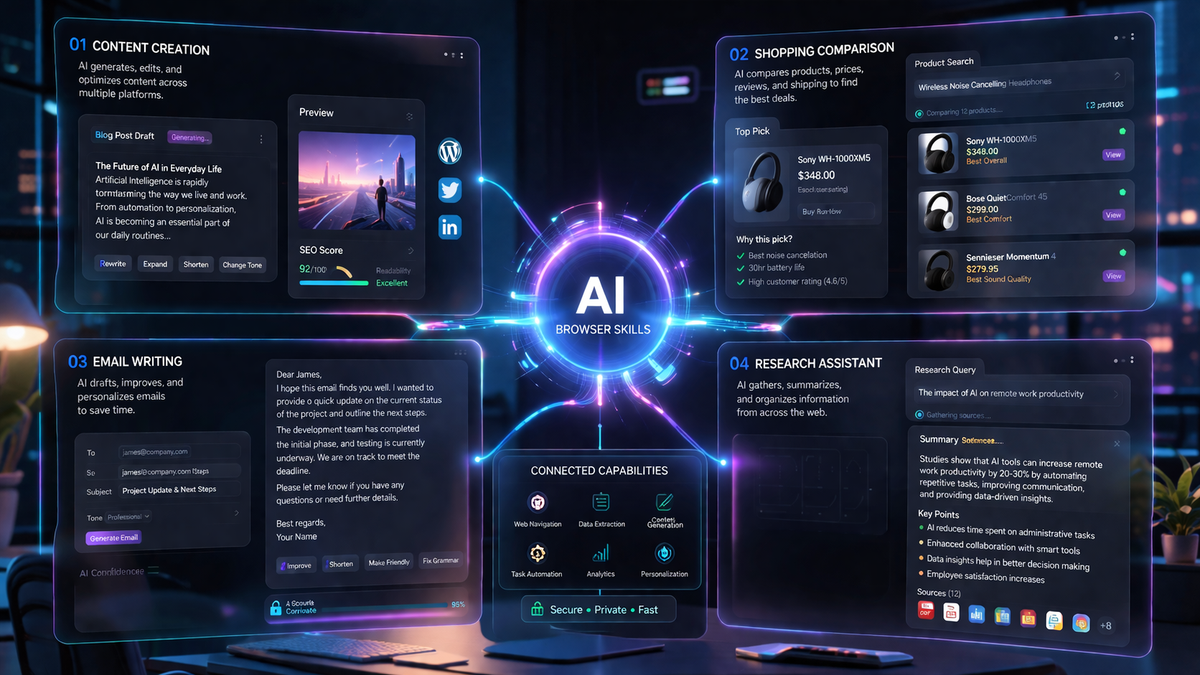
Chrome Skills are not just theoretical—they have strong real-world applications across industries.
Content & Blogging
- Writers can instantly summarize research articles, generate outlines, or rewrite content in different tones.
E-commerce
- Users can compare multiple product pages and make smarter buying decisions.
Professional Work
- Employees can automate email writing, meeting summaries, and document analysis.
Students & Researchers
- Skills help extract key insights from long academic texts quickly.
High-Importance Points
- Saves hours of manual work
- Useful across multiple industries
- Improves decision-making speed
- Reduces cognitive load
Skills vs Chrome Extensions
Chrome extensions have long been used to enhance browser functionality, but they come with limitations such as installation overhead and fixed features.
Skills, on the other hand, are:
- Built directly into Chrome
- Powered by AI
- Fully customizable
Unlike extensions, Skills evolve with your needs because they are based on prompts.
High-Importance Points
- No installation required
- More flexible than extensions
- AI-driven and adaptive
- Faster to use and manage
Privacy and Limitations
While Skills offer powerful capabilities, they also raise important questions about privacy and control. Since the AI processes webpage content, users must trust how data is handled.

Google has implemented safeguards, but as with any AI system, transparency and user awareness are essential.
Current limitations include
- Limited language support
- Early-stage bugs
- Not fully optimized for all workflows
High-Importance Points
- Privacy awareness is important
- Feature is still evolving
- Not perfect but improving rapidly
Future of Chrome Skills
The launch of Skills is just the beginning. In the future, we can expect Chrome to become even more intelligent and autonomous.
Possible advancements include:
- AI agents that perform multi-step tasks
- Voice-controlled Skills
- Integration with apps like Gmail and Docs
- Fully automated workflows
This indicates a shift toward AI-first computing, where manual effort is minimized.
High-Importance Points
- Skills may evolve into AI agents
- Automation will increase significantly
- Browsers will become productivity platforms
- AI will handle complex workflows
Final Conclusion
Google’s introduction of Skills in Chrome marks a turning point in how we use the internet. It transforms the browser into a system that doesn’t just display information but actively helps you process, analyze, and act on it.
Instead of repeatedly telling AI what to do, you teach it once—and it works for you forever.
Final Key Takeaways
- Chrome is evolving into an AI-powered assistant
- Skills automate repetitive tasks
- Productivity and efficiency are significantly improved
- This is the future of browsing and digital work
Written by