
Artificial IntelligencePublished on 4 min read
Cursor AI: A Complete In‑Depth Guide

Anshul TiwariVP of Technology & Solutions
On this page
Cursor AI is a modern, AI‑powered code editor designed to supercharge how developers write, understand, refactor, and maintain code. Built as an AI‑first alternative to traditional editors, Cursor combines the familiarity of a code editor with the intelligence of large language models, enabling developers to move faster with fewer errors and less cognitive load.
Unlike basic autocomplete tools, Cursor AI understands entire codebases, not just single files. This makes it especially powerful for real‑world projects where context, architecture, and dependencies matter.
What is Cursor AI?
Cursor AI is a desktop code editor (based on Visual Studio Code) that deeply integrates artificial intelligence into the software development workflow. It allows developers to:
- Generate code from natural language
- Modify existing code with plain‑English instructions
- Understand unfamiliar codebases instantly
- Debug and refactor at scale
- Ask questions directly about their project
Cursor AI is not just an assistant—it acts like an AI pair programmer that works across your entire project.
Why Cursor AI Exists
Modern software projects are complex. Developers spend a lot of time:
- Reading existing code
- Searching for where logic lives
- Refactoring safely
- Fixing bugs across multiple files
Cursor AI was created to reduce this friction by letting developers interact with code the same way they think—using natural language.
Key Features of Cursor AI
1. AI Chat with Full Codebase Context
Cursor AI can read and understand your entire project. You can ask questions like:
- "Where is user authentication handled?"
- "Explain how the payment flow works"
- "Which files are responsible for API rate limiting?"
The AI responds with accurate, context‑aware answers.
2. Natural Language Code Editing
You can select any block of code and tell Cursor what to do:
- "Convert this function to async/await"
- "Optimize this loop"
- "Add error handling and logging"
Cursor updates the code instantly—no manual rewriting required.
3. AI Code Generation
Cursor AI can generate:
- Functions
- Classes
- APIs
- UI components
- Tests
- Scripts
Example prompt:
"Create a REST API endpoint in Node.js to upload images to cloud storage"
Cursor generates clean, production‑ready code directly in your project.
4. Smart Refactoring Across Files
Traditional refactoring tools are limited. Cursor AI can:
- Rename variables across the project
- Change logic spanning multiple files
- Update function signatures everywhere they’re used
All while maintaining consistency.
5. Debugging & Error Fixing
Cursor helps debug by:
- Explaining error messages
- Suggesting fixes
- Identifying root causes
- Preventing future issues
You can paste stack traces or select buggy code and ask for help.
6. Learn While You Code
Cursor is excellent for learning:
- New languages
- New frameworks
- Existing legacy systems
It explains code in simple terms, making it ideal for juniors and learners.
How Cursor AI Works (Behind the Scenes)
Cursor AI uses large language models trained on vast amounts of code and natural language. It combines:
- Your local codebase context
- Selected files and symbols
- Natural language prompts
This allows it to reason about architecture, logic flow, and dependencies instead of guessing.
How to Use Cursor AI (Step‑by‑Step)
Step 1: Install Cursor
- Download Cursor AI for your operating system
- Install and launch the editor
Step 2: Open Your Project
- Open an existing codebase or create a new one
- Cursor automatically indexes your files
Step 3: Use AI Chat
- Open the chat panel
- Ask questions about your codebase
- Request explanations or improvements
Step 4: Edit with Instructions
- Select code
- Press the AI shortcut
- Type what you want to change
Cursor applies the changes instantly.
Step 5: Generate New Code
- Describe what you want to build
- Let Cursor generate and insert the code
- Review and adjust if needed
Who Can Use Cursor AI?
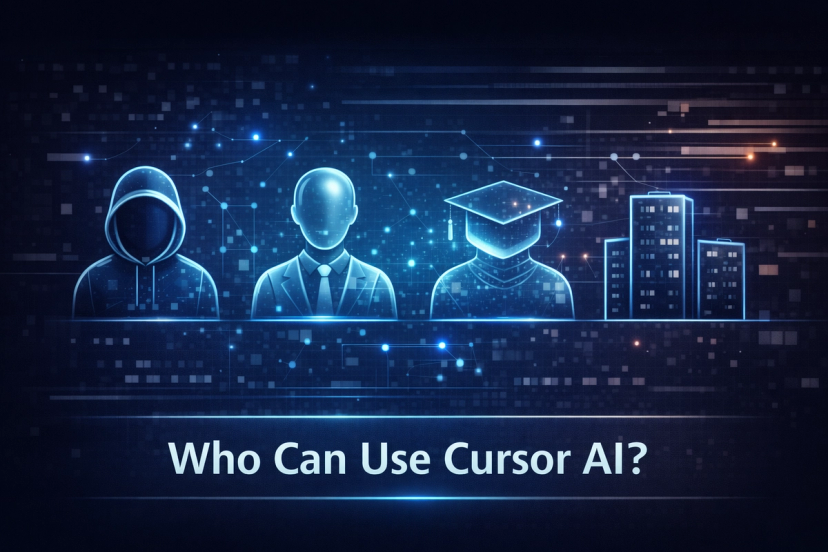
1. Professional Developers
- Build features faster
- Reduce debugging time
- Improve code quality
2. Startup Teams
- Ship products quickly
- Maintain small teams with high output
- Refactor rapidly as requirements change
3. Students & Beginners
- Learn coding by asking questions
- Understand complex concepts
- Practice real‑world projects
4. Freelancers
- Deliver projects faster
- Handle multiple tech stacks
- Reduce repetitive work
5. Tech Leads & Architects
- Review code efficiently
- Understand large systems quickly
- Guide refactoring decisions
Use Cases of Cursor AI
- Building full‑stack applications
- Migrating legacy code
- Writing automated tests
- Creating internal tools
- Learning new frameworks
- Debugging production issues
Benefits of Using Cursor AI
- Faster development speed
- Less mental fatigue
- Cleaner, more maintainable code
- Improved learning curve
- Reduced context switching
Cursor AI vs Traditional Code Editors
| Feature | Traditional Editor | Cursor AI |
|---|---|---|
| Autocomplete | Basic | Intelligent & contextual |
| Code Understanding | Manual | AI‑powered |
| Refactoring | Limited | Project‑wide |
| Learning Support | Minimal | Built‑in |
Limitations to Keep in Mind
- AI suggestions still need review
- Not a replacement for core programming knowledge
- Best results require clear prompts
Best Practices for Using Cursor AI
- Be specific in prompts
- Review generated code
- Use it as an assistant, not a crutch
- Combine AI output with human judgment
The Future of Cursor AI
Cursor AI represents the future of software development—where developers focus more on thinking and designing, and less on repetitive typing. As AI models improve, tools like Cursor will become standard in every developer’s workflow.
Conclusion
Cursor AI is more than a code editor—it’s a productivity multiplier. Whether you’re a beginner learning to code or an experienced engineer managing complex systems, Cursor AI helps you write better code, faster, with confidence.
If you want to experience the next generation of coding, Cursor AI is a powerful place to start.
Written by

Anshul Tiwari
VP of Technology & Solutions