React Native 0.83: A Deep Dive into the Latest Release
React Native continues to evolve at a rapid pace, bringing powerful new features, performance enhancements, and developer experience improvements with each release. The long-awaited 0.83 version is no exception, packed with exciting updates that promise to make building cross-platform mobile applications even more robust and enjoyable.
In this blog post, we'll take a comprehensive look at what's new in React Native 0.83, highlight the most significant changes, and provide a step-by-step guide on how to seamlessly migrate your existing projects to leverage these advancements.
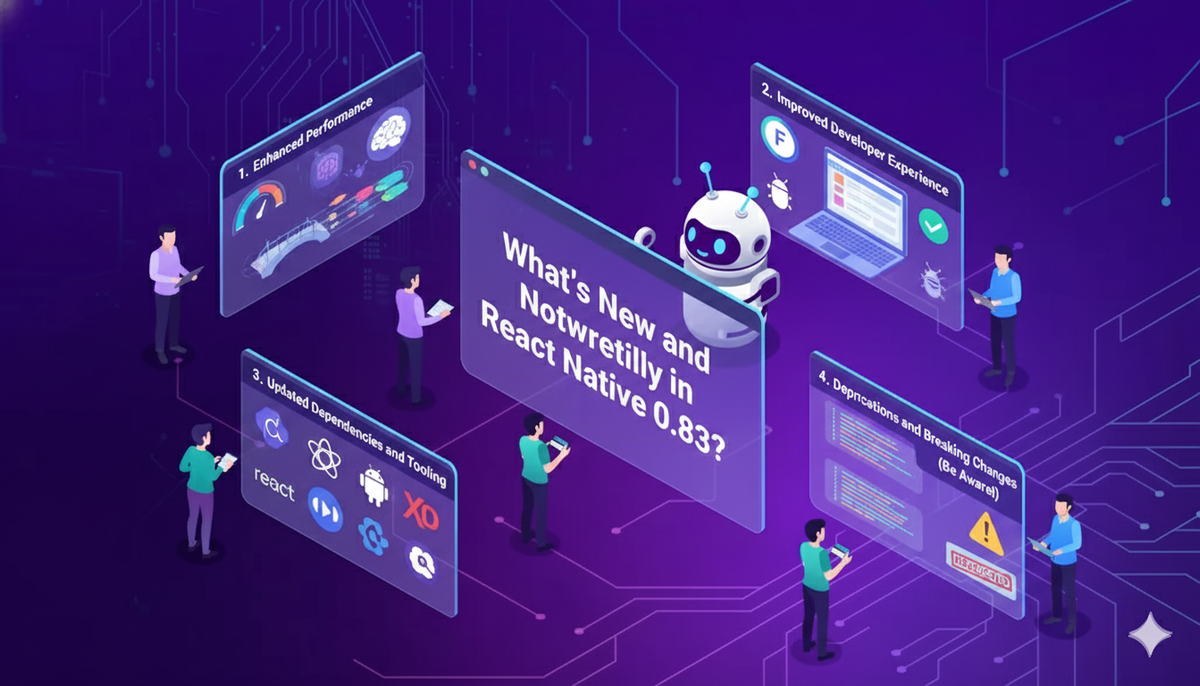
What's New and Noteworthy in React Native 0.83?
While the official changelog provides a detailed list of every single alteration, let's focus on the key highlights that will impact most developers:
1. Enhanced Performance (Expected)
Performance is always a top priority for the React Native team, and 0.83 is expected to bring further optimizations under the hood. While specific benchmarks are still emerging, anticipate smoother animations, faster re-renders, and more efficient memory usage. These improvements often come from:
- JSC Updates: Keeping the JavaScriptCore engine updated often leads to better JavaScript execution speed.
- Fabric Architecture Progress (Internal): While Fabric isn't fully exposed in 0.83 for general use, internal progress on this new rendering architecture often trickles down into performance improvements even for the existing architecture.
- Reduced Bridge Overhead: Continuous efforts to minimize the data transfer overhead between JavaScript and native modules.
2. Improved Developer Experience
A better developer experience translates to faster development cycles and fewer headaches. React Native 0.83 includes several enhancements in this area:
- Faster Fast Refresh: Expect even quicker updates to your app during development thanks to further refinements in Fast Refresh. This means less waiting and more coding.
- Enhanced Error Reporting: More descriptive and actionable error messages can significantly reduce debugging time.
- New Dev Tools Features: Keep an eye out for potential new features or improvements within the React Native Debugger or Flipper, making inspection and debugging more powerful.
3. Updated Dependencies and Tooling
Staying current with underlying dependencies is crucial for security, stability, and access to the latest platform features. React Native 0.83 likely updates:
- React Version: Expect an upgrade to a newer React version, potentially bringing new hooks or internal optimizations from the React library itself.
- Gradle and Xcode Tooling: Updates to the build systems for Android and iOS ensure compatibility with the latest platform SDKs and development environments.
- Metro Bundler Enhancements: Metro, the JavaScript bundler for React Native, often receives updates for improved performance and reliability.
4. Deprecations and Breaking Changes (Be Aware!)
As with any major release, there will likely be some deprecations and minor breaking changes. These are necessary to move the framework forward but require careful attention during migration. Always consult the official release notes for a complete list, but common areas include:
- API Removals/Renames: Some older APIs might be deprecated in favor of newer, more efficient alternatives.
- Module Changes: Certain native modules might have updated interfaces or internal workings.
- Styling System Tweaks: Minor adjustments to how styles are applied or inherited are possible.
Migrating Your Project to React Native 0.83: A Step-by-Step Guide
Migrating your existing React Native project can seem daunting, but by following a structured approach, you can ensure a smooth transition. Before you begin, always back up your project!
Here's a step-by-step guide:
Step 1 : Prepare Your Environment
- Update Node.js: Ensure you're running a supported Node.js version. Check the React Native official documentation for the recommended version for 0.83.
- Update Watchman:
brew update && brew upgrade watchman(macOS) - Update CocoaPods (for iOS):
sudo gem install cocoapods(macOS) - Update Android Studio & Xcode: Make sure your Android Studio (SDKs, build tools) and Xcode (latest version) are up to date.
Step 2 : Use the Upgrade Helper (Your Best Friend!)
The official React Native Upgrade Helper is an invaluable tool. It compares your current project's version with the target version (0.83 in this case) and shows you exactly which files and lines need to be changed.
- Go to https://react-native-community.github.io/upgrade-helper/
- Select your current React Native version and
0.83.0. - Carefully review all the changes. It highlights differences in
android/,ios/,package.json,index.js, and other configuration files.
Step 3 : Update package.json
Dependencies
Based on the Upgrade Helper, you'll need to update your react-native and react dependencies in your package.json
- Open your
package.jsonfile. - Update the
react-nativeandreactversions:
| Json |
"dependencies":
{ "react": "^18.x.x", // or whatever version 0.83 recommends"react-native": "^0.83.0"
}
- Remove your
node_modulesdirectory andyarn.lockorpackage-lock.jsonfile:
| Bash |
| rm -rf node_modules |
| rm yarn.lock # or package-lock.json |
- Install the new dependencies:
| yarn install # or npm install |
Step 4 : Apply Native Project Changes
This is often the most critical part, as it involves changes to your Android and iOS native project files. Refer meticulously to the Upgrade Helper for these changes.
For iOS:
PodfileChanges: Updateplatform :iosversion if recommended, and potentially other pod definitions.- Xcode Project Settings: Changes in
Info.plist, build settings, or delegate files (AppDelegate.h,AppDelegate.mm). - Install Pods: After updating
Podfileandpackage.json:
| Bash |
cd ios
pod install
cd ..
For Android:
build.gradle(Project Level): UpdateminSdkVersion,compileSdkVersion,targetSdkVersion,buildToolsVersion, andKotlinVersionif applicable.build.gradle(App Level): Similar updates forcompileSdkVersion,targetSdkVersion, and dependencies.AndroidManifest.xml: Review for any new permissions or changes.MainApplication.java/MainActivity.java: Look for changes in how React Native is initialized or module registration.- Clean Android Build:
| Bash |
cd android
./gradlew clean
cd ..
Step 5: Address JavaScript Code Changes
Review your JavaScript codebase for any deprecations or breaking changes mentioned in the 0.83 release notes. Common areas include:
- Deprecated APIs: Replace any deprecated components, modules, or APIs with their recommended alternatives.
- Prop Type Changes: If you're still using
PropTypes(though most new projects use TypeScript), check for any changes. - Native Module Interfaces: If you have custom native modules, verify their interfaces against any internal changes in 0.83.
Step 6: Test Thoroughly
After applying all changes, it's time to test your application rigorously on both platforms.
- Start the Metro Bundler:
| yarn start # or npm start |
- Run on iOS
| yarn ios # or npx react-native run-ios |
- Run on Android:
| yarn android # or npx react-native run-android |
- Test All Features: Go through every screen, every interaction, and every feature of your application to ensure everything works as expected. Pay close attention to:
- Navigation flows
- Form submissions
- API integrations
- Animations and gestures
- Permissions and native functionalities (camera, location, etc.)
- Any custom native modules
Step 7: Resolve Issues and Iterate
It's common to encounter issues during migration. Don't get discouraged!
- Read Error Messages Carefully: They often point directly to the problem.
- Consult the React Native Documentation: The official docs are a treasure trove of information.
- Search GitHub Issues and Stack Overflow: Chances are, someone else has faced and solved the same problem.
- Community Forums: Engage with the React Native community for help.
- Isolate the Problem: If a bug appears, try to isolate it into a minimal reproducible example.
Conclusion
React Native 0.83 represents another significant stride forward for the framework. By embracing these updates, you can benefit from improved performance, a more enjoyable development experience, and access to the latest mobile platform capabilities. While migration requires careful attention, especially to native project files, tools like the Upgrade Helper make the process manageable.
Happy coding with React Native 0.83!
Written by